 TableHop
Copy any table from the web into your spreadsheet in one click.
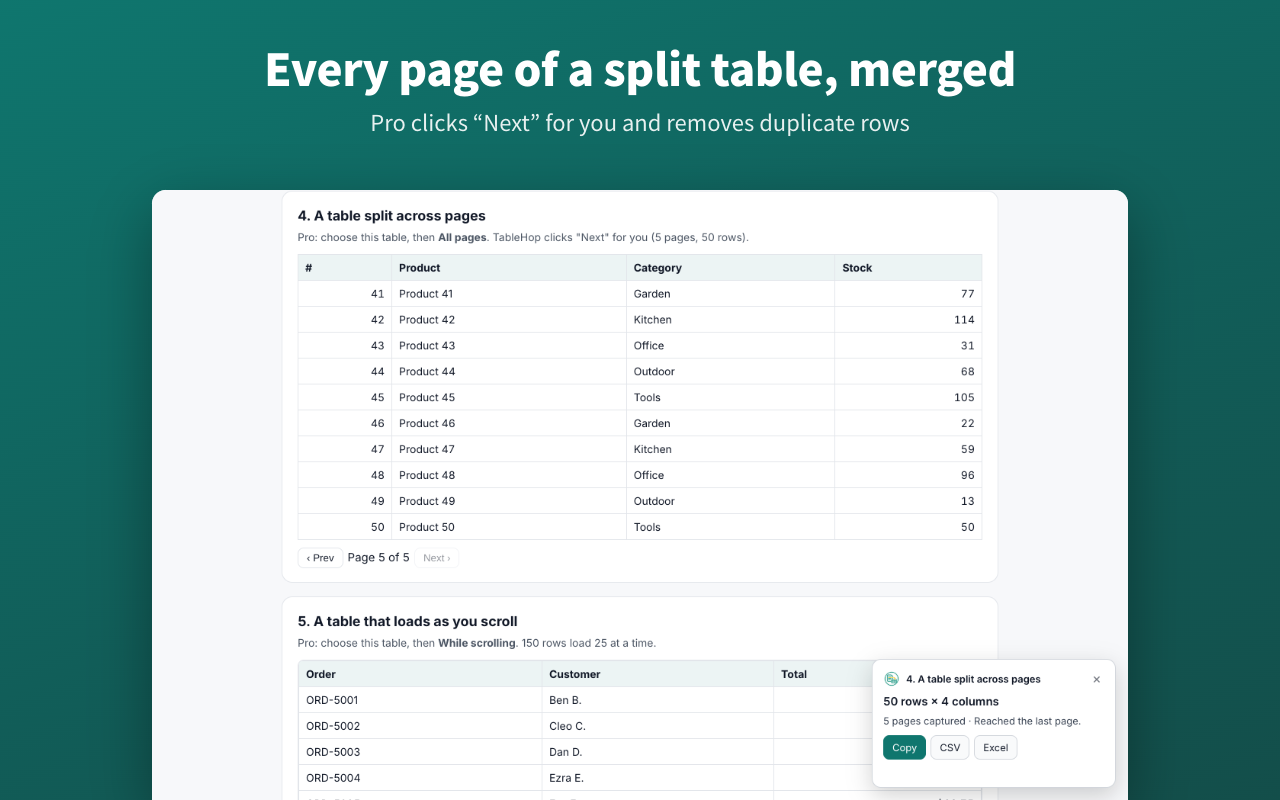
TableHop moves tables from websites into Excel, CSV or Google Sheets with every column in the right place – even long tables that run across several pages.
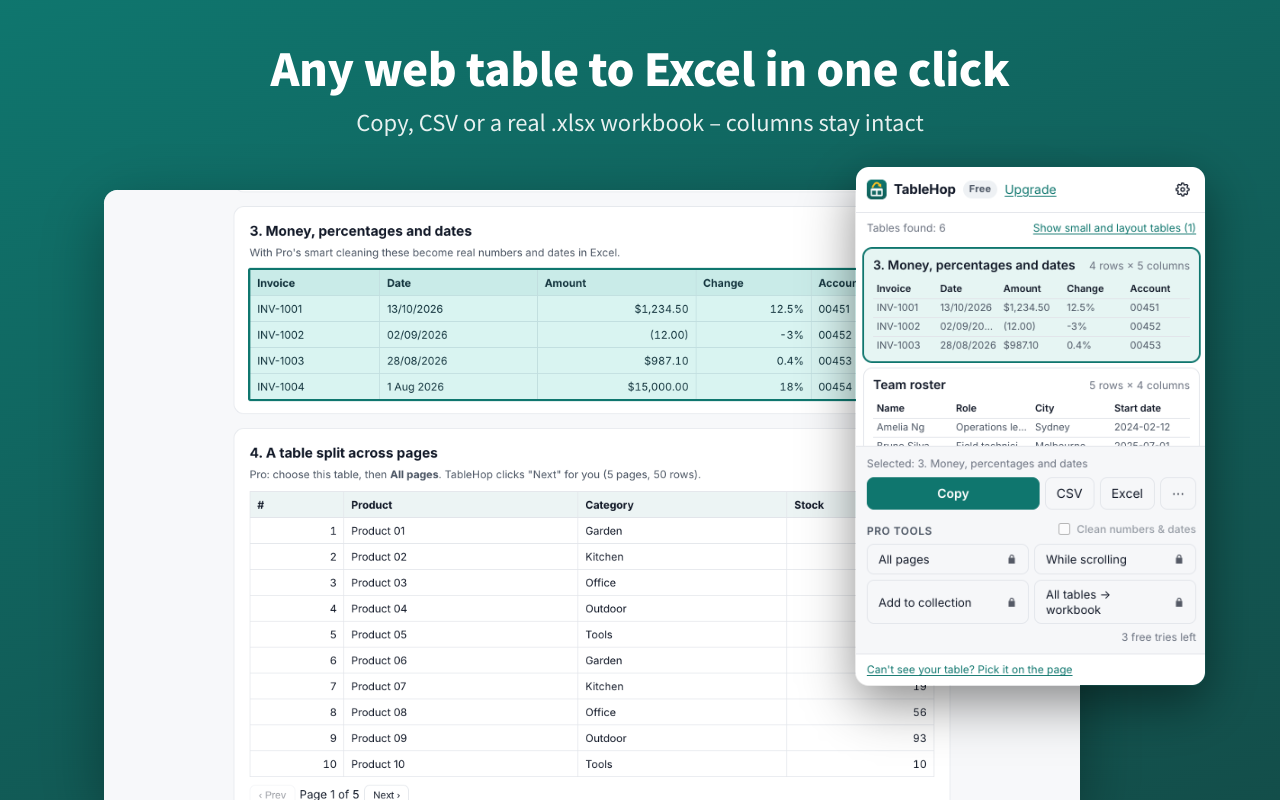
TableHop moves tables from websites into Excel, CSV or Google Sheets with every column in the right place – even long tables that run across several pages.
No setup needed. TableHop sits in your browser toolbar, ready whenever you need it.
Reports, admin portals, CRMs, dashboards, statistics sites, Wikipedia – anything with rows and columns.
It lists every table on the page with a preview. Hover to highlight one, click to choose it.
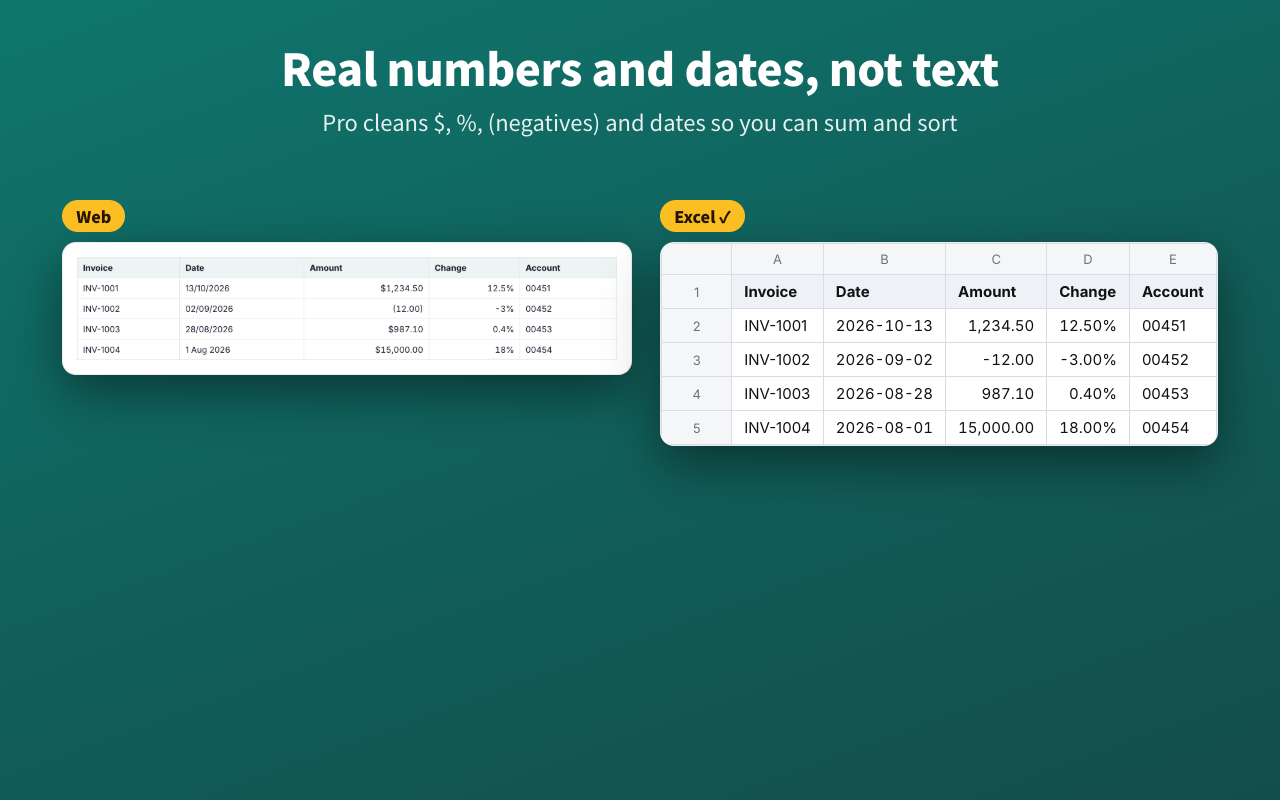
Paste straight into Excel or Google Sheets, or download a clean CSV or real .xlsx file.
Every install includes 3 free Pro tries.
Prices in Australian dollars. Secure checkout by Stripe via ExtensionPay. Every install includes 3 free Pro tries, so you can test it on your own tables before you buy.
Upgrade from inside the extension: click the TableHop icon, then “Upgrade”.
TableHop reads a page only when you click it and does all its work on your computer. It never sends your tables, pages or browsing anywhere, and has no analytics or ads. The only connection it makes is to ExtensionPay to check a Pro purchase. Read the privacy policy.
Google Chrome and Microsoft Edge (and most Chromium-based browsers that install Chrome Web Store extensions).
Yes. TableHop reads the page you already have open, so anything you can see – a CRM report, an admin portal – can be exported. It never logs in or visits pages for you.
Click “Can't see your table? Pick it on the page”, point at one row or card and click. Use the ↑ and ↓ keys to grow or shrink the area.
In some regions Excel expects semicolons. Open TableHop's settings and set the CSV separator to semicolon – or just use the Excel button.
Click “Restore purchase” in TableHop's settings or upgrade screen and enter the email you paid with. You'll get a login link.
All sales are final, so please use your 3 free Pro tries on your own tables first. This doesn't affect your rights under consumer law – if Pro doesn't work as described, email us. Yearly plans can be cancelled any time and won't renew.
TableHop is for data you can already see. Some websites' terms limit how their data may be reused – please respect them.